





¿Por qué la UFM?
Nuestra Misión
La enseñanza y difusión de los principios éticos, jurídicos y económicos de una sociedad de personas libres y responsables.
- Aprendes cómo pensar, no qué pensar
- Viajes y experiencias internacionales
- Networking
- Campus espectacular
- Todas nuestras carreras fomentan o guían hacia el emprendimiento
Estamos orgullosos de nuestra historia pionera, un presente inspirador y un futuro apasionante.
La Universidad Francisco Marroquín es el lugar para estudiar, por muchas razones.
Tenemos una orgullosa herencia de pensamiento disruptivo, una reputación revolucionaria y un enfoque educativo multidisciplinario sin igual para aprender a resolver problemas.
Ya sea que planees comenzar tu propia empresa, comerte al mundo, abordar problemas globales o iniciar la carrera que siempre soñaste, estamos aquí para ayudarte a desarrollar tus habilidades y nutrir tu visión emprendedora.
Carreras
Licenciaturas
- Administración de Empresas
- Arquitectura
- Asuntos Globales
- Ciencia Política
- Cine, Artes Visuales y Emprendimiento
- Comercio y Relaciones Internacionales
- Contaduría Pública y Auditoría (CPA)
- Derecho
- Diseño de Interiores
- Diseño de Producto
- Diseño Digital Interactivo
- Economía
- Enseñanza del Lenguaje y la Literatura
- Entrepreneurship
- Gastronomía Nutricional y Empresarialidad
- Historia del Arte y Gestión Cultural
- Ingeniería Empresarial
- Ingeniería en Computer Science
- Marketing Estratégico
- Medicina
- Nutrición Clínica
- Odontología
- Psicología Clínica
- Psicología Empresarial
Maestrías
- MBA flexible
- MBA in Entrepreneurship
- MFIN
- MAPI
- LLM en Finanzas
- ME
- Diabetes y Síndrome Metabólico
- Filosofía
- Historia: Instituciones y Economía Política
- Lingüística y Literatura Contemporánea
- Psicología Médica Integral
- Psicoterapia Avanzada
- Política y Gobierno Limitado: Instituciones Estado de Derecho y Estado Administrativo
- Relaciones Internacionales: Derecho Internacional Público y Orden Liberal
- Endodoncia
- Ortodoncia
- Rehabilitación Oral y Odontología Cosmética
- Periodoncia e Implantes Dentales
- Implantología Avanzada
- Odontología Pediátrica
- Ciencias Sociales
- Estudios Humanísticos
- Derechos Humanos: Evolución Instituciones y Medios de Protección Nacionales e Internacionales
- Derecho Público: Instituciones Burocracia y Estado de Derecho
Calendario de exámenes
Fechas de examen de admisión para ingreso 2027
Julio
Agosto
Agosto
Septiembre
Septiembre
Octubre
Noviembre
Noviembre
Noviembre
Diciembre
Visítanos
Cafecito

¿Tienes dudas sobre alguna carrera? Ven y resuelve tus dudas mientras te tomas un café con el coordinador de la carrera que te interese; podrás conocer las instalaciones en las que recibirás clases, entender más sobre la carrera que te interesa y aclarar cuál será tu futuro profesional al seguirla. ¡El café corre por nuestra cuenta!
Tour por el Campus
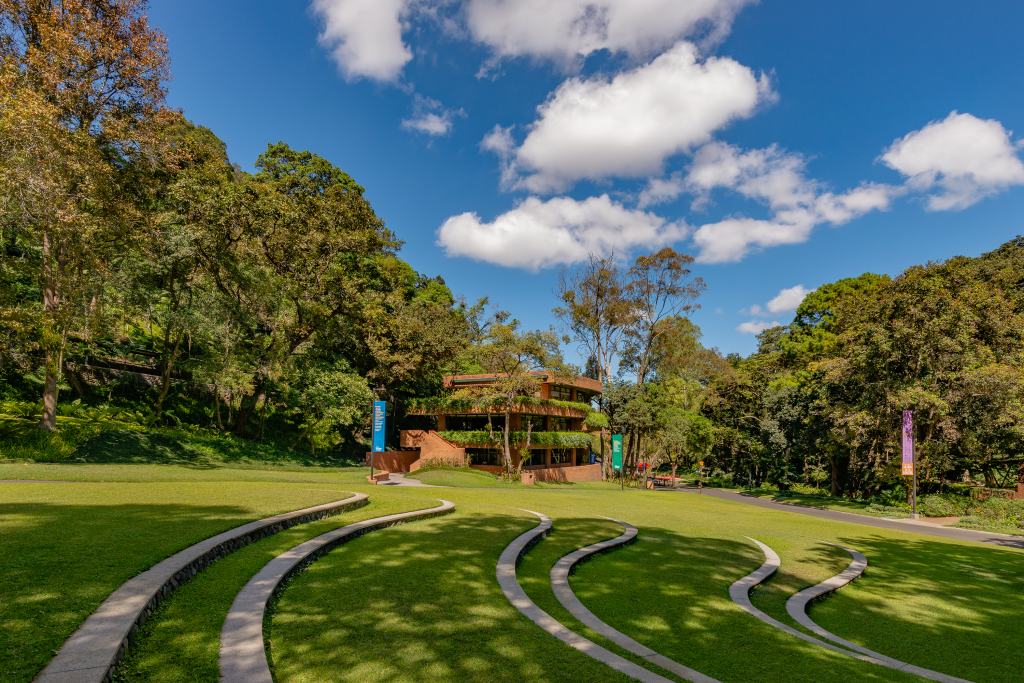
Podrás conocer el campus de la UFM en una visita guiada. Tendrás la oportunidad de visitar las instalaciones de la carrera que te interese.
Conoce nuestras clases

Te invitamos a asistir a una clase. Podrás aprender sobre los temas de los que tratan nuestras carreras y observar la interacción entre los profesores y los estudiantes.